
Mitu AI: Prank Video Generator
AstronexArt & Design
4.7136.00 Reviews
- Version
- 2.7.1
- Installs
- 1.00M
- Age Rating
- Everyone
Screenshots
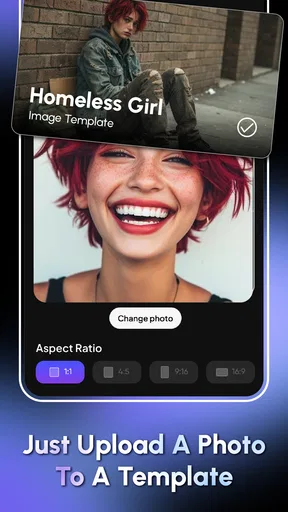
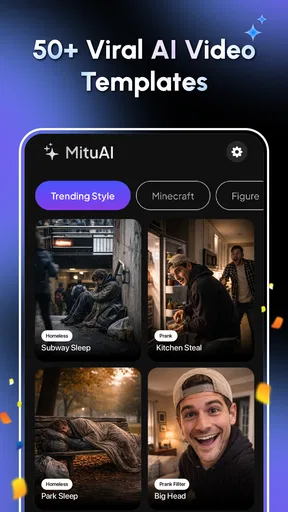
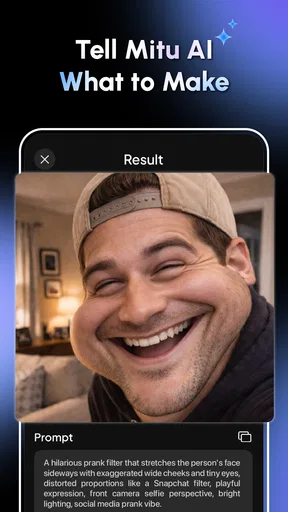
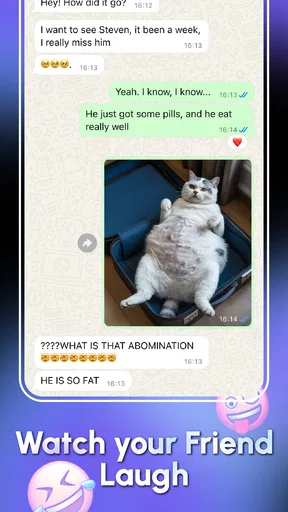
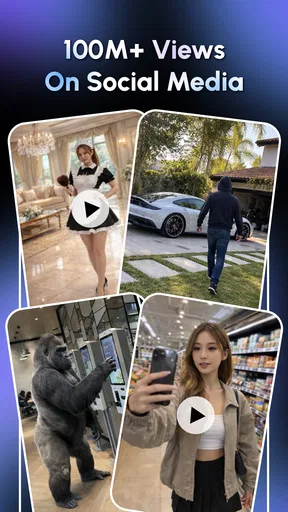
Our Review of Mitu AI: Prank Video Generator
 Analysis by Appyee
I tried Mitu AI: Prank Video Generator with a simple question in mind: is it more than a quick laugh the first time you open it? The app sits in the Art & Design category and is built by Astronex, with a clear focus on making short, funny AI prank videos without asking users to learn a full editing suite. That narrow purpose is also its biggest strength. You are not opening it to produce a polished short film; you are opening it when you have an idea that could make a friend laugh and want to turn that idea into something shareable quickly.
The first impression is easy to understand. Mitu AI takes the intimidating part out of creating a joke video. Instead of arranging clips, trimming audio, adding effects, and figuring out how to make the punchline land, I could approach the process as a small creative experiment. That makes it approachable for people who normally avoid video editors. It also explains why the app has attracted over one million installs and holds a 4.7 average from around eleven thousand ratings. Those figures suggest that the basic promise is connecting with a large audience, although popularity does not automatically make every generated result funny or useful.
Why the first week feels surprisingly entertaining
During the first few sessions, the appeal comes from speed and low commitment. A conventional mobile editor gives me control, but it also makes me responsible for every decision. Mitu AI is more appealing when I want to test a silly concept rather than spend an evening refining it. I can think of a situation, try a playful direction, and see whether the result has enough personality to send to someone. That short distance between idea and output is the part that feels fresh.
This works particularly well in everyday group conversations. Imagine a friend repeatedly arriving late to a weekend plan. Instead of writing another message about it, I could make a light prank video around the running joke and send it privately. The value is not cinematic quality; it is the shared context. A familiar face, habit, or conversation gives the generated clip a reason to exist. Without that personal connection, the same result may feel like a disposable novelty.
I also found that the best results come from treating the app as a prompt for creativity rather than a magic comedy machine. A vague idea tends to produce something vague. A more specific setup, with a clear target, mood, and punchline, gives me a better chance of getting a clip that feels intentional. This is one of the first useful lessons: the app may simplify production, but it does not replace comic timing or judgment. I still need to know why the joke should be funny before asking the tool to present it.
For someone who has never edited video, that trade-off is attractive. The interface is less demanding than a traditional timeline-based editor, and the process encourages experimentation. A teenager can use it for a harmless joke between friends, while an adult might use it to create a playful birthday message or a humorous response in a family chat. The Everyone content rating makes the app broadly approachable, but that should not be confused with permission to use every idea on every person. Good taste remains the user’s responsibility.
There is also a useful distinction between private amusement and public posting. A clip that works among three friends may look confusing or embarrassing to a wider audience. I recommend testing the video with the person who understands the context before sharing it broadly. This is not a limitation of one particular button or setting; it is a practical consequence of prank content. The more the joke depends on personal knowledge, the smaller the audience should be.
What makes the creative process different
Compared with a standard video editor, Mitu AI puts the concept ahead of manual control. With a conventional app, I can choose exact cuts, transitions, captions, and sound placement. That is better when I already know how I want the finished video to look. Here, the attraction is the opposite: I can begin with a joke and let the tool handle much of the transformation. The result can feel more spontaneous, but it may also be less predictable.
Compared with a general AI image or video generator, the prank focus gives the experience a clearer purpose. I am not searching through endless creative possibilities. I am trying to make a humorous situation. That narrower lane helps when I want an answer quickly, but it can feel restrictive when my idea becomes more serious, artistic, or story-driven. If my goal changes from “make my friend laugh” to “build a carefully controlled visual sequence,” I would rather use a full editor or a broader creative tool.
One practical workflow improved my results: I first wrote the joke in one sentence, then reduced it to the visual moment that makes the joke work. Only after that did I create the video. This prevents the common mistake of generating an attractive clip with no clear payoff. Another useful habit is to keep the first attempt short in concept, even if the app allows a more elaborate idea. A small joke is easier to judge, easier to revise, and less likely to become confusing.
Whether it still earns attention after the novelty
The first week is the easiest part to enjoy because every result feels like a discovery. The tougher question is what happens after the novelty fades. In my experience, the app’s recurring value depends almost entirely on whether I regularly have people, events, and inside jokes that can support new material. It is not a tool I would open every day just to browse. Its long-term role is more like a creative utility for occasional social moments.
That can still be meaningful. Birthdays, trips, reunions, office celebrations, and group chats create natural reasons to return. A person who enjoys making personalized jokes may keep finding opportunities, especially if they save ideas as they occur instead of trying to invent something on demand. I would keep a short note of funny habits or recent conversations, then use those observations when I have time to create. This turns the app from random entertainment into a small part of a social routine.
The recurring value is weaker for users who want a structured creative practice. There is no reason to expect the same satisfaction as learning illustration, improving at manual editing, or building a portfolio. Mitu AI is designed around quick amusement, so it rewards output more than skill development. If I want to become better at composition, pacing, color, or sound design, a traditional art or editing app gives me more control and a clearer path for improvement.
Another factor is audience response. A prank generator is only as useful as the people willing to receive the joke. If friends enjoy playful videos, the app can become a dependable source of conversation starters. If they prefer straightforward messages or dislike being the subject of digital jokes, repeated use will feel forced. That is why I would not judge its staying power by how many clips I can make. I would judge it by whether the people around me actually want to see them.
The free price makes occasional use easier to justify. I can return when an idea appears without first deciding whether a subscription fits my routine. At the same time, in-app purchases range from $2.99 to $149.99 per item, so I would pay attention before confirming anything. The free entry point is useful for testing whether the style suits me, but frequent creators should think about how often they will genuinely use paid options. A single amusing result is not enough reason to spend heavily.
I would also avoid treating every generated clip as disposable. If a video works particularly well, I would keep the original idea and note what made it successful: a recognizable situation, a clear reversal, or an exaggerated reaction. Repeating the exact format can become stale, but studying the structure can help me create better variations. That is a more sustainable way to use the app than generating random clips until one happens to be funny.
The maintenance cost is small, but not invisible
Maintenance here is less about complicated setup and more about managing attention. The app is easy to revisit, which is convenient, but easy access can also encourage low-effort repetition. If every video uses the same type of joke, the surprise disappears quickly. I found that taking a break between projects helps preserve the sense that each clip has a reason to exist.
There is also a social maintenance burden. Before making a prank involving another person, I need to consider whether they will find it funny, whether the context is private, and whether the clip could be misunderstood outside the original group. A harmless joke in a close chat can become uncomfortable when forwarded. I would always avoid using sensitive personal situations as raw material, and I would be especially careful with anyone who has not agreed to be part of the joke.
The app’s current version is 2.7.0, and it supports devices running Android 7.0 or later. That makes it accessible to many Android users, including people who do not replace their phones frequently. Still, compatibility is not the same as identical performance on every device. AI-assisted creation can feel more comfortable on a newer phone with a stable connection and enough free storage for video work. Before planning a large batch of clips, I would test one complete project on the device I actually intend to use.
For someone deciding whether to install it, the practical questions are straightforward. Do you regularly share jokes with friends? Are you comfortable with a tool that favors speed over precise editing? Can you accept that some attempts may be amusing only to the people involved? If the answer to those questions is yes, the free download is easy to justify. If you want exact control, professional finishing, or dependable results without experimentation, I would start with a conventional editor instead.
Where fatigue begins
The main source of fatigue is repetition. A format that feels clever on the third attempt may feel automatic on the fifteenth. This is common with novelty-driven creative tools, but it matters more here because the entire experience is built around a narrow emotional response: surprise and amusement. Once I understand the usual rhythm, I become more selective about when a new video is worth making.
Another source of friction is the gap between a funny idea and a funny finished clip. AI can help express a concept, but comedy depends on details that are difficult to standardize. The right expression, pause, reveal, or reference may be obvious in my head and less effective in the output. I would not open the app expecting every attempt to be ready for sharing. The better mindset is to treat each generation as a draft and keep only the versions that communicate the joke clearly.
That draft-based approach has a hidden advantage: it encourages me to edit my own expectations. If the first result is not right, I can ask whether the idea was weak or whether the presentation missed it. Sometimes changing the setup is more productive than repeatedly trying to force the same concept. This is a non-obvious trade-off compared with manual editing. A traditional editor lets me repair a specific moment; an AI-focused workflow may be faster when I rethink the whole premise instead.
Cost can become another fatigue point for heavy users. Because the app is free to start but includes paid items, I would set a personal limit before experimenting extensively. The highest listed purchase is $149.99 per item, which is a serious commitment for an entertainment app. I would never assume that a paid option automatically makes a joke better. First I would confirm that the free experience fits my sense of humor, then decide whether a specific purchase solves a real creative need rather than simply extending the novelty.
Privacy and consent also deserve a place in the fatigue discussion, even when they do not interrupt the interface. Prank videos can involve real people, recognizable situations, and emotionally sensitive material. I would avoid making a clip that could damage someone’s reputation, cause panic, or look like a real event when removed from its original context. The safest use is clearly playful, shared with a limited audience, and easy for the subject to reject. That discipline keeps the tool fun instead of turning it into a source of conflict.
Users who want a polished public presence may eventually outgrow it. A creator building a channel, a small business producing promotional videos, or an artist developing a visual identity needs repeatable control over branding and presentation. In those situations, Mitu AI may still help with brainstorming, but I would rely on a full editor for the final work. Its strength is the spark, not necessarily the complete production pipeline.
My long-term verdict
I see Mitu AI as a strong occasional app rather than an essential daily companion. It earns space on my phone when I have an active social reason to use it: a friend’s birthday, a group-chat joke, or a playful response to a shared story. It loses some of that value when I open it without an idea and expect the app itself to supply lasting entertainment. The distinction matters because the first-week excitement is easy to mistake for a permanent habit.
For the right user, the app removes enough technical friction to make creative participation feel possible. I do not need to understand timelines or advanced effects before trying a joke. The Art & Design positioning makes sense because the result is still a small creative project, even when the goal is laughter rather than visual polish. Astronex has kept the concept focused, and that focus is more useful than a crowded collection of unrelated tools would be.
I would recommend it to people who enjoy personalized humor, understand the value of a good setup, and are willing to discard weak attempts. I would also recommend starting with the free experience and deciding based on actual use rather than the excitement of seeing a new AI feature. The app is rated for Everyone, but responsible sharing still requires adult judgment, especially when another person appears in the joke.
I would skip it if I need professional editing, detailed control, a serious art workflow, or a guaranteed result on the first try. I would also skip paid spending until I had returned several times and knew the app had a place in my routine. The broad device support is helpful, and version 2.7.0 gives Android users on 7.0 or newer a reasonable entry point, but technical accessibility cannot solve a mismatch in creative goals.
My final view is positive but measured: the lasting value comes from the people and situations around the app, not from endless novelty inside it. Used as a quick way to turn a specific inside joke into a video, it can be genuinely enjoyable and more personal than sending another text. Used as an always-on source of random entertainment, it is likely to tire me out. That makes Mitu AI worth trying for social creators and casual prank makers, while a traditional editor remains the better long-term home for anyone seeking control, craft, and consistent production quality.
Verdict
Strengths of Mitu AI: Prank Video Generator
- Creates playful prank videos quickly with minimal editing skills.
- AI-generated concepts help users overcome creative blocks.
- Useful for sharing humorous clips on social media.
- Simple interface makes basic video creation approachable.
- Can inspire personalized jokes for friends and family.
Limitations of Mitu AI: Prank Video Generator
- Pranks may be misunderstood or offend people without their consent.
- Output quality can vary between prompts and video styles.
- Some features may require subscriptions or in-app purchases.
- AI results may include awkward timing or unnatural visuals.
- Sharing generated content could raise privacy and copyright concerns.
Other Releases by Astronex
View All
Lurnia: AI Language Tutor
Education4.5

Designest: AI Home Design
House & Home4.2
Similar Picks in This Category
View All
Canva: AI Photo & Video Editor
Canva4.8

PENUP – Drawing-sharing SNS
Samsung Electronics Co., Ltd.4.5

Crafto
Kutumb App4.6

Sketchbook
Sketchbook4.1

ibis Paint X
ibis inc.4.5

Adobe Express: AI Photo, Video
Adobe4.6
Frequently Asked Questions
What is Mitu AI: Prank Video Generator used for?
Mitu AI: Prank Video Generator is an entertainment-focused app designed to help users create humorous prank-style videos with artificial intelligence. Depending on the available tools, you can generate or edit short clips, add amusing scenarios, and share the results with friends or on social media. It is intended for creative fun rather than professional video production, so results may vary depending on the prompt, source material, and selected effects.
Is Mitu AI: Prank Video Generator free to download and use?
The app may be available to download at no initial cost, but some features, video-generation options, templates, exports, or usage limits can require in-app purchases or a subscription. Before creating multiple videos, check the pricing page and subscription terms shown in the app store or inside the application. Also review whether free generations are limited, whether credits expire, and how cancellation works before starting a trial.
Does Mitu AI: Prank Video Generator require an internet connection?
Most AI-powered video generation features require an active internet connection because the processing is commonly performed on remote servers rather than entirely on the phone. A stable Wi-Fi or mobile-data connection can help uploads and generation complete more reliably. The app may open or display previously saved content offline, but creating new AI videos, downloading results, or accessing online templates may not work without connectivity.
Are videos created with Mitu AI: Prank Video Generator safe to share?
You should review every generated video carefully before sharing it. AI results can contain visual errors, unexpected edits, misleading appearances, or content that could embarrass or harm another person. Only use photos, videos, names, and voices that you have permission to process, and avoid presenting fictional prank footage as real. Be especially cautious when posting content involving children, private individuals, public figures, or sensitive situations.
What should I know about privacy and permissions before using the app?
Mitu AI: Prank Video Generator may request access to photos, videos, the camera, microphone, notifications, or storage, depending on the features you use. Grant only the permissions that are necessary and review the developer’s privacy policy to understand how uploaded media and generated content are handled. Avoid submitting confidential images or personal information, and check your device settings if you later want to revoke access.
